
Download Diagram – AI‑Powered Web Design Tool, Fast & Secure
Overview
Diagram is an AI‑driven website design software that blends the power of machine learning with a modern, drag‑and‑drop UI. Built for designers who want to cut down repetitive tasks without sacrificing creative control, Diagram automates everything from color‑style generation to HTML coding. The platform feels familiar to users of Adobe Dreamweaver, Figma, and Expression Studio, yet it introduces a uniquely intuitive workflow that reduces the learning curve for beginners while still offering depth for seasoned developers.
By interpreting plain‑language commands, the built‑in “Magician” engine can turn a simple text prompt into a fully‑styled web page component, complete with icons, copy, and responsive layout. Whether you’re crafting a single‑page portfolio or a complex e‑commerce site, Diagram’s point‑and‑click coding and AI‑enhanced prototyping let you move from concept to live site in a fraction of the time traditional tools require. The software runs entirely in the cloud, ensuring that updates are seamless, data is stored securely, and collaboration across Windows, macOS, Android, and iOS devices is effortless.
In addition, Diagram offers granular permission controls, enabling team leads to assign role‑based access to design assets, which is especially useful for agencies handling multiple client projects. The subscription model includes a generous free tier, making it accessible for hobbyists while premium plans unlock advanced AI modules, larger storage, and priority support. In short, Diagram promises a faster, smarter, and more enjoyable design experience, making it a compelling option for freelancers, agencies, and in‑house teams alike.
Core Features & AI Advantages
- AI‑Powered Magician Engine: Convert natural‑language descriptions into HTML elements, icons, or copy with a single click.
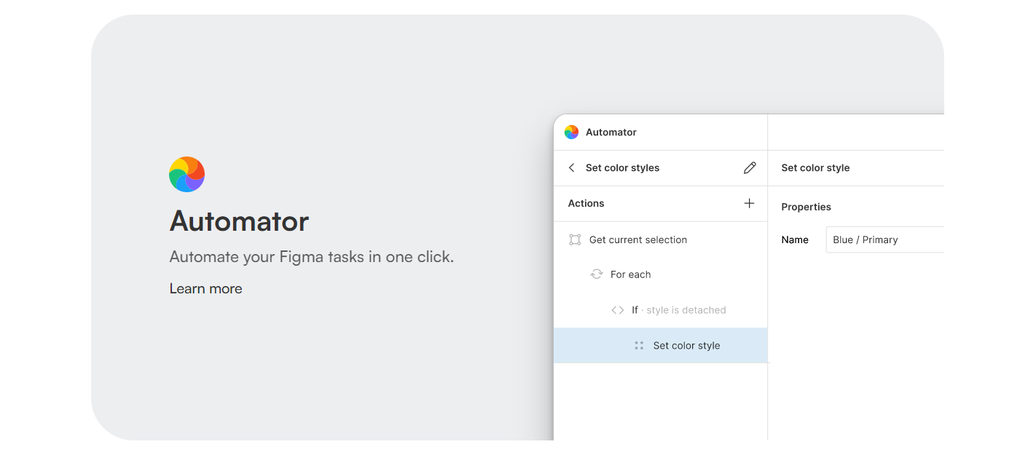
- Automated Style Management: The Figma‑inspired module automatically creates and applies consistent color palettes, font families, and spacing rules.
- Point‑and‑Click Coding: Build and edit HTML structures directly on the canvas without writing a line of code.
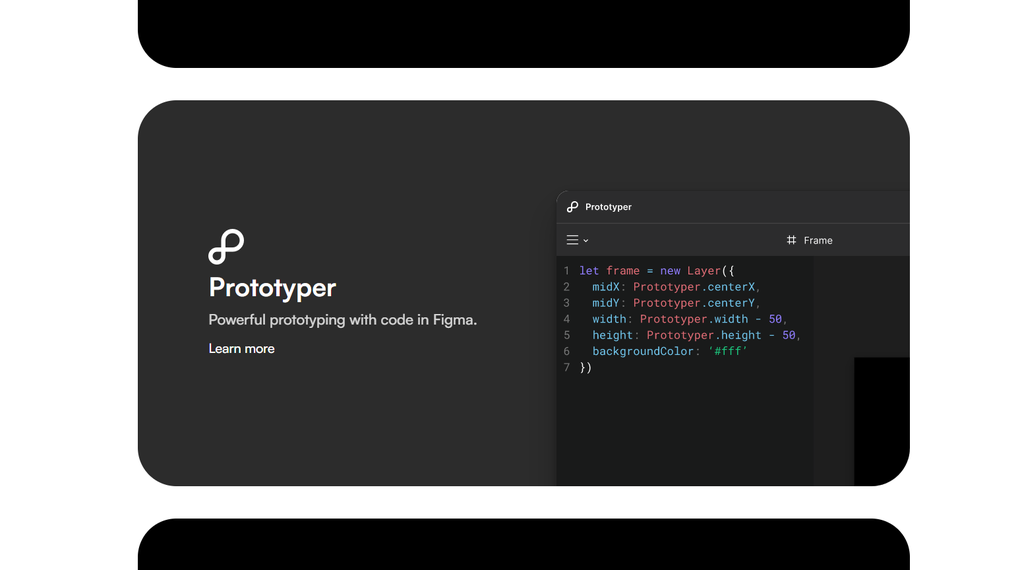
- AI‑Driven Prototyper: Generate functional JavaScript snippets for interactions, animations, and data handling in seconds.
- Real‑Time Collaboration: Multiple users can edit the same project simultaneously, with changes synced instantly across devices.
- Responsive Preview Mode: Test how designs adapt to mobile, tablet, and desktop breakpoints with live resizing.
- Version History & Cloud Backups: Every change is saved automatically, allowing you to revert to any previous state.
- Extensive Template Library: Access hundreds of AI‑curated starter pages for blogs, portfolios, landing pages, and more.
These features work together to eliminate the “tedious” parts of web design. For instance, when a designer types “Create a hero section with a gradient background, a headline, and a call‑to‑action button,” Diagram instantly builds a fully responsive block, assigns optimal contrast colors, and generates the underlying CSS. The AI also learns from each project, suggesting improvements and alternative layouts based on industry best practices.
This continuous feedback loop not only speeds up production but also raises the overall quality of the output, making it easier for teams to meet tight deadlines while maintaining brand consistency. Another notable advantage is the ability to export clean, standards‑compliant code that can be handed off to developers without additional cleanup, bridging the gap between design and development. Moreover, Diagram’s AI is trained on a vast corpus of modern design trends, so it can proactively warn you about accessibility issues—such as insufficient color contrast—before the design goes live.
In practice, these capabilities translate into measurable time savings; many beta users report cutting project turnaround from weeks to a single day, especially for routine landing‑page builds.
Installation, Setup & First Project Walkthrough
Step‑by‑Step Installation
Diagram is a web‑based application, which means there is no heavy installer to download. To get started, simply visit the official website, click the “Get Started Free” button, and create an account using your email or Google credentials. After confirming your email, you’ll be redirected to the dashboard where you can choose to launch the app in a browser or download the optional native client for Windows, macOS, Android, or iOS. The native client provides offline caching and faster rendering but still relies on cloud storage for project files. Because the core engine lives in the cloud, the client acts primarily as a thin wrapper that improves performance on low‑bandwidth connections and adds native OS shortcuts, such as drag‑and‑drop from the desktop.
Initial Configuration
Upon first login, Diagram walks you through a quick onboarding wizard. You’ll set your preferred design system (light or dark mode), select default units (pixels or rems), and connect any existing asset libraries such as Adobe Creative Cloud or Figma files. The wizard also prompts you to enable the AI “Magician” feature, which requires a one‑time permission to access your microphone for voice commands (optional). All settings are saved to your profile, so they sync across devices automatically. Advanced users can also configure API keys for third‑party services like Unsplash for royalty‑free images or Stripe for e‑commerce checkout integration, expanding the platform’s ecosystem without leaving the interface.
Creating Your First Project
To launch a new website, click the “New Project” button, give it a name, and choose a template or start from a blank canvas. If you opt for a template, Diagram’s AI scans the content and suggests where you can replace placeholder text with your own copy. Using the point‑and‑click editor, you can drag a text block onto the page, type “Add a headline about eco‑friendly products,” and the Magician will generate a headline, suggest a font, and apply a complementary color.
Adding a navigation bar is just as simple: type “Create a sticky top navigation with logo on the left and links on the right,” and the AI builds the component, complete with responsive breakpoints. Once the layout is ready, hit the “Export” button to generate clean HTML, CSS, and optional JavaScript files, or publish directly to a connected hosting provider such as Netlify or Vercel with a single click. The workflow also includes a built‑in SEO checker that evaluates meta tags, heading hierarchy, and image alt attributes, ensuring that the final site is search‑engine ready.
This streamlined process demonstrates how Diagram reduces the time from concept to launch from weeks to hours, while still giving you full control over the final code.
Compatibility, Pros & Cons, and Frequently Asked Questions
Operating System Compatibility
Diagram runs in any modern web browser (Chrome, Edge, Firefox, Safari) and offers native desktop clients for Windows 10/11 and macOS 12+. Mobile apps are available for Android 8.0+ and iOS 13+, ensuring designers can edit projects on the go. Because the core engine lives in the cloud, performance is consistent across platforms, and updates are applied instantly without user intervention. The web version also supports progressive enhancement, meaning it works on low‑spec devices with reduced feature sets, while high‑end machines can take advantage of GPU‑accelerated rendering for complex animations.
Pros
- AI automation dramatically reduces repetitive tasks.
- Intuitive drag‑and‑drop UI suitable for beginners.
- Real‑time collaboration across Windows, macOS, Android, and iOS.
- Point‑and‑click HTML generation eliminates hand‑coding errors.
- Extensive template library accelerates project kickoff.
- Secure cloud storage with automatic versioning.
- Built‑in SEO and accessibility checks improve site quality.
- Flexible export options for static sites, CMS integrations, and headless workflows.
Cons
- Reliance on internet connectivity for full feature set.
- Advanced developers may miss low‑level code control.
- AI suggestions sometimes need manual refinement for niche designs.
- Pricing tiers for premium AI features can be higher than basic editors.
- Learning curve for teams transitioning from traditional code‑first workflows.
FAQ
Is Diagram free to use?
Diagram offers a free tier with unlimited projects, core AI features, and cloud storage up to 2 GB. Premium plans unlock advanced AI modules, larger storage, and priority support.
Can I export code to use on any hosting platform?
Yes. Diagram generates clean HTML, CSS, and optional JavaScript files that can be downloaded or deployed directly to services like Netlify, Vercel, AWS, or traditional web hosts.
Does Diagram support version control integration (e.g., Git)?
Diagram includes built‑in version history and can sync with external Git repositories via the “Export to Git” feature, allowing teams to commit changes directly from the app.
Is my data secure in the cloud?
All projects are encrypted at rest and in transit using TLS 1.3. Diagram complies with GDPR and CCPA, and offers two‑factor authentication for added account security.
Can I customize the AI-generated code?
Absolutely. After the AI creates a component, you can open the code view, edit HTML/CSS/JS directly, and save the changes. The system respects manual edits and will not overwrite them on subsequent AI suggestions.
Review Summary: Diagram delivers a compelling blend of AI automation and hands‑on design control. The pros outweigh the cons for most modern teams, especially those looking to accelerate delivery without sacrificing quality.
Conclusion & Call to Action
Diagram has positioned itself as a forward‑thinking solution for web designers who want to leverage artificial intelligence without abandoning the creative freedom of a visual editor. Its point‑and‑click HTML generation, AI‑driven Magician, and responsive prototyping significantly cut down development time, while the cloud‑first architecture ensures seamless updates and secure collaboration. Though the reliance on an internet connection and the occasional need for manual tweaking may be considerations, the overall value proposition—especially for freelancers and small agencies—remains strong. If you’re ready to experience faster, smarter web design, click the button below to start your free trial, explore the template library, and see how Diagram can transform your workflow.
Start Free Trial of Diagram


.png)



